

This is advanced. If you need any assistance feel free to reach out in community support.
API Commands
To access the API, you must use the API that is found in the model of the individual door.workspace[“GATEWAY™ by Saturn Solutions ”].DOORMODEL.API:Fire(“”)
Commands:
API:Fire("open")API:Fire("close")
Setting up DWProx
This was taken directly from the support channel within Saturn.
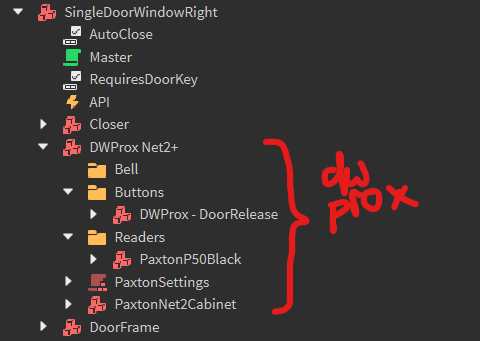
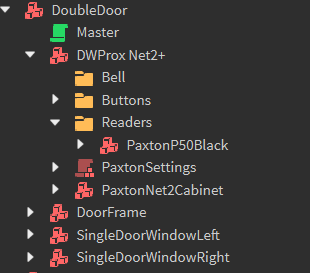
I’ve chosen to put a DoorRelease button in the Buttons folder, and a PaxtonP50 reader in the Readers folder.
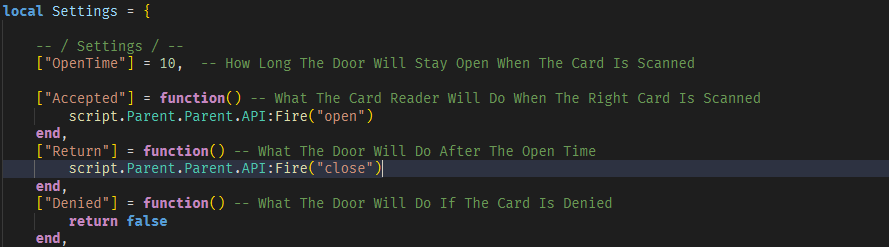
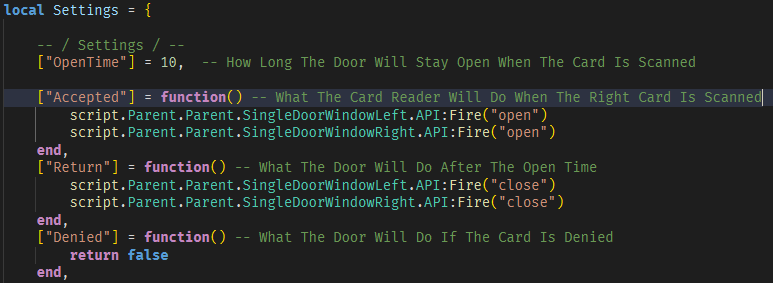
Inside the Settings script, you can find 3 functions: “Accepted”, “Return”, and “Denied”. Accepted runs when the reader is scanned and the key is valid, and return runs when the OpenTime has finished and the door must close. Denied is simply for when they key isn’t acepted.
Inside their respective functions, I have referred to the door’s API event, and fired it with “open” and “close” respectively.
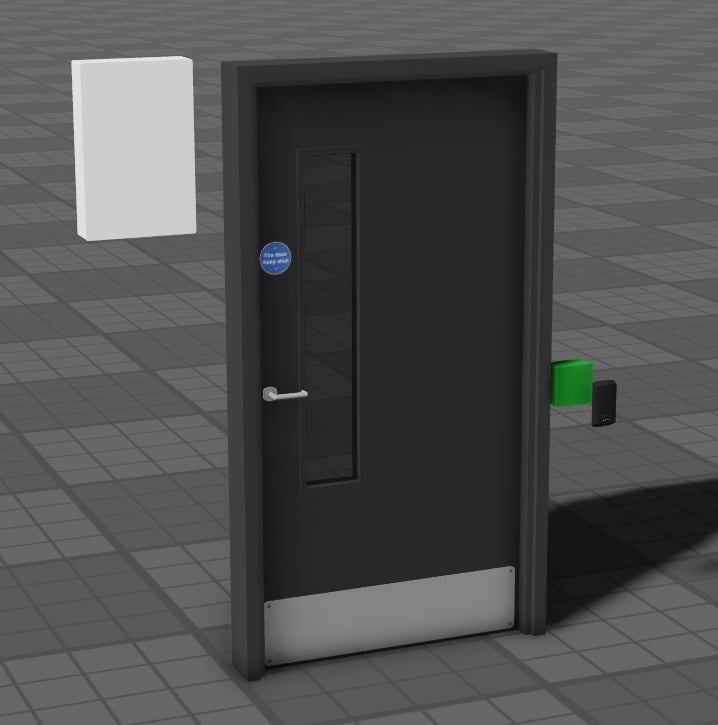
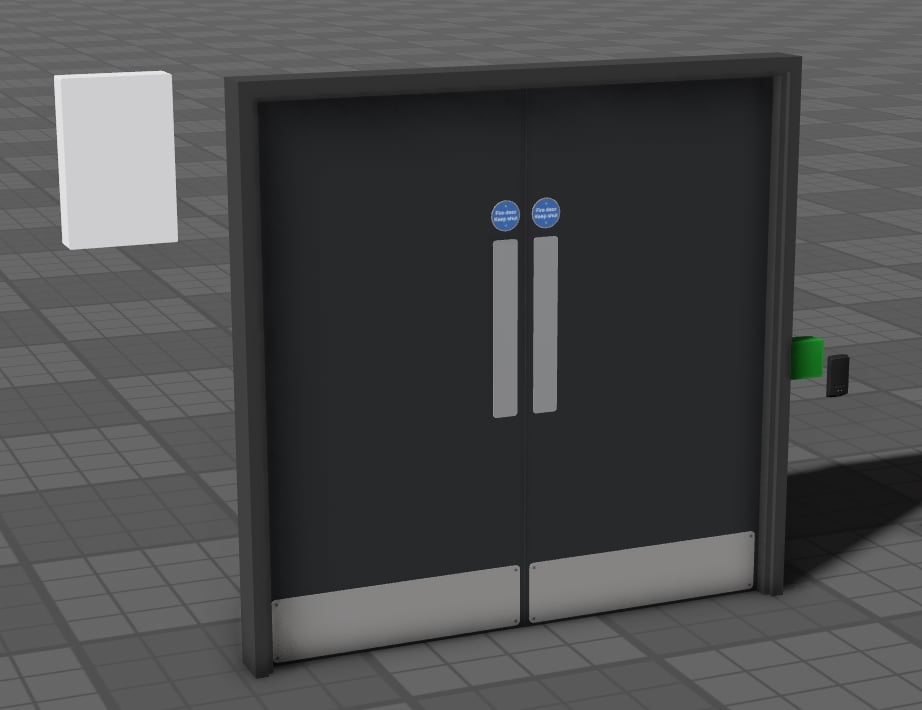
Attached below are pictures of the Settings script, explorer and in-game to help you out.
Video Support
https://youtu.be/EuytjDkKT8w
https://www.youtube.com/watch?v=ETAjeqN3Lfg
Many thanks to Blendahh
https://youtu.be/EuytjDkKT8w
https://www.youtube.com/watch?v=ETAjeqN3Lfg
Many thanks to Blendahh